Clock in with location and a work zone
Employees clock in from their phones and Hader checks they’re inside the work zone. Make location mandatory, record it at clock-out too, and let only the owner see it if you prefer.
Hader is a time and attendance system that lets your team clock in from their phones with location, handles requests, permissions and leave, and gives you ready-made reports — while every record stays on your company’s own server.
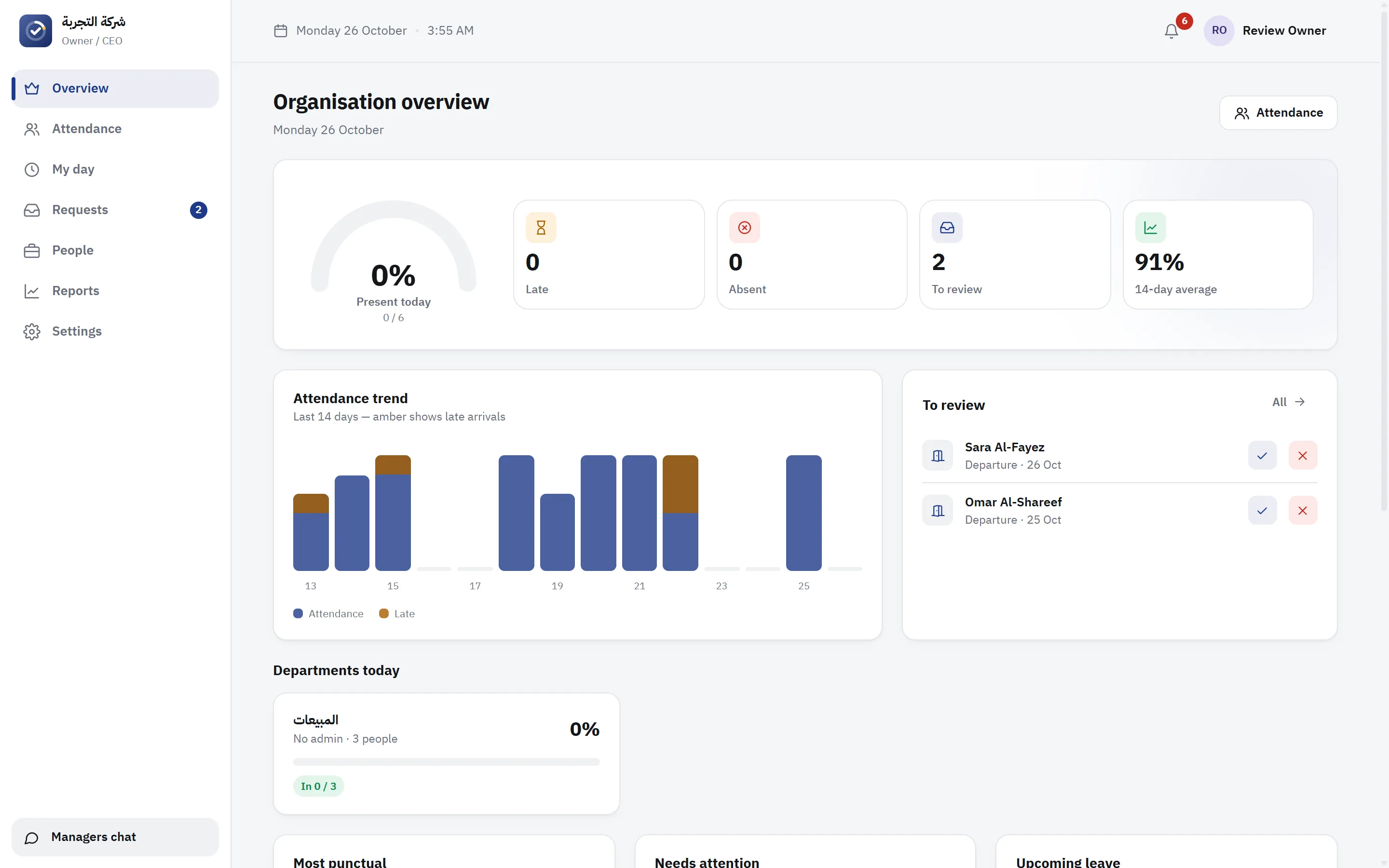
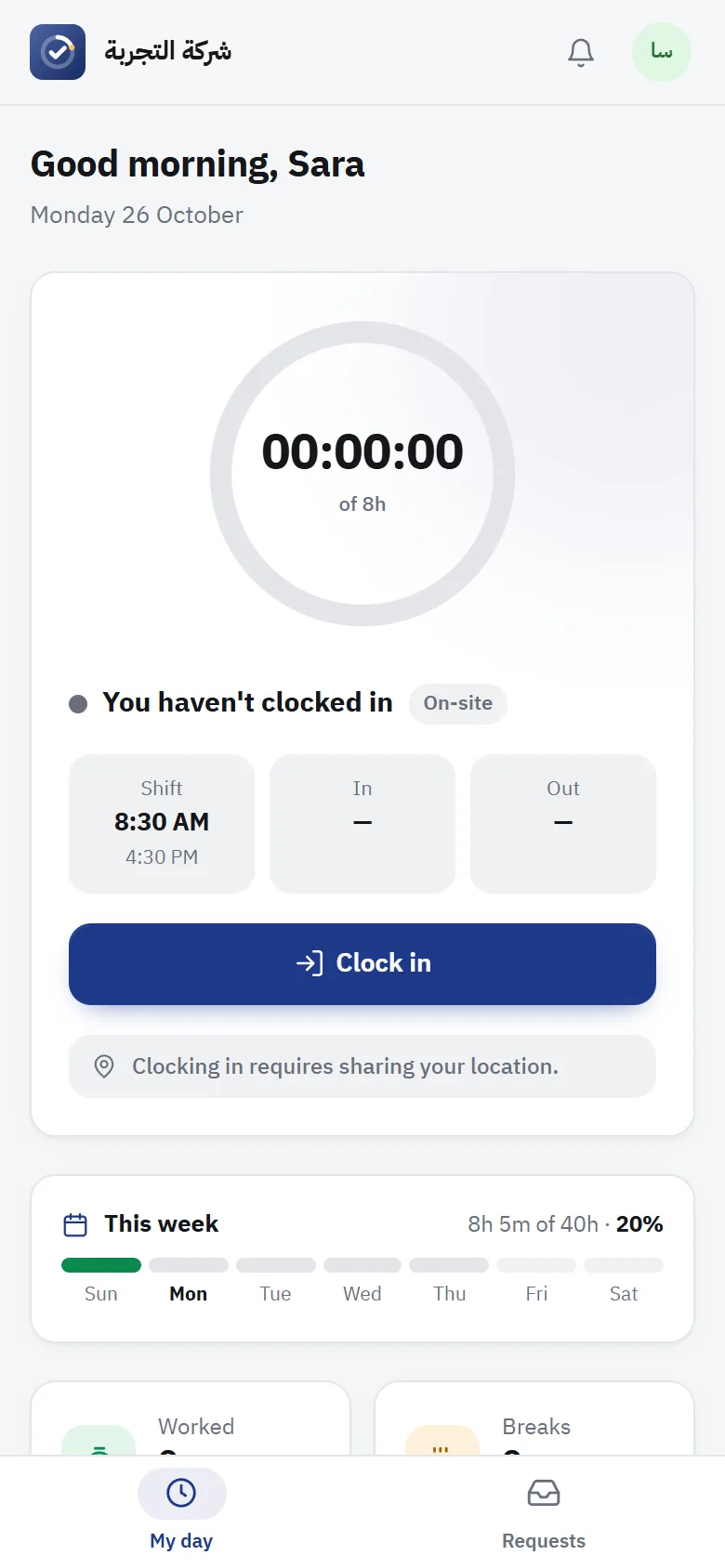
From the first clock-in in the morning to the month-end report — this is how Hader works.
From clocking in on a phone to the month-end report — no paper, no fingerprint machines.
Employees clock in from their phones and Hader checks they’re inside the work zone. Make location mandatory, record it at clock-out too, and let only the owner see it if you prefer.
Presence confirmations at random times during the shift, verified on the server and kept in the employee’s record.
Leave, early exits, stepping out during work — approved by a manager in one tap, and short ones automatically if you like.
A balance per employee that’s deducted automatically, advance notice for leave, and public holidays and days off per company.
Fixed or flexible hours with an arrival window, capped breaks, and remote work for whoever you choose — with automatic clock-out if someone forgets.
Hader works out lateness, overtime and absences by itself, and turns accumulated lateness into absence days by your policy.
A monthly report per employee and department with attendance rate and rating, ready to print or export to Excel.
Clock-in and clock-out reminders, late alerts for managers, and a notification for every new request — on phones and computers.
A private chat for managers, and a pinned announcement on every employee’s home page.
Who changed what and when, active sign-in sessions, and roles for the owner, department admins and employees.
An admin per department follows their team and corrects its records, and employees can undo an accidental clock-out.
Designed right-to-left for Arabic, English in one tap, and a dark mode that’s easy on the eyes.
Real screenshots of Hader — switch the language and dark mode at the top of the page.
Today’s attendance rate, who’s late or absent, the 14-day trend, and the requests waiting for you.
Employees open your company’s link and add Hader to their home screen — on iPhone and Android. It works as a full app, with notifications and location.
Hader is installed on your company’s server — we never host your employees’ data or attendance records.
A Next → Next Windows installer, or one command on Linux. Runs as a service that starts with the server, with automatic HTTPS for your domain.
Hader checks for updates and installs them at night after backing up the database — and rolls back by itself if anything goes wrong.
Every update and every license is digitally signed, so your server only accepts what comes from us. An automatic database backup every day.
After purchase you get an order code; type it in Settings and the license activates instantly. Servers without internet activate with a license file.
30 days with every feature and up to 15 employees — no card, no commitment.
Download the Windows Server installer, or run one command on Linux.
curl -fsSL https://hader-updates.pages.dev/install.sh | sudo bashOpen Hader in a browser, enter your company, departments and working hours, then add your employees.
Employees add Hader to their phones and clock in from day one. When you buy, activate the license with your order code.
An annual license by number of employees. Order your plan and we’ll send a quote and your activation code — or start with a 30-day free trial.
For small offices
For teams in the field and on sites
For multi-branch organisations
Only on your company’s server. Your server contacts us every 6 hours to check its license and updates, sending only the installation ID, company name, version and employee count — never employee or attendance data.
Hader works inside your network without internet. A connection is useful for automatic updates and activating with an order code; for offline servers there’s a full offline installer, license-file activation and file-based updates.
Yes — on iPhone and Android from the browser, and it can be added to the home screen as an app. Location and notifications need an HTTPS address, which the installer sets up for your domain.
Nothing is deleted. After a license ends there are 14 days to renew, then the system is read-and-export only until you do. Renewals reach your server by themselves.
Hader checks for updates and installs them at night, takes a backup first, and goes back to the previous version by itself if the new one doesn’t start. You can also upload an update file by hand.
No. A phone is enough: location, the work zone and random presence checks replace fingerprint machines and their upkeep.

Start your free trial today and see Hader running on your own server.